At some point in time, you may need to disable or delete a device.
Please follow the below steps to find out how.

Delete a Device
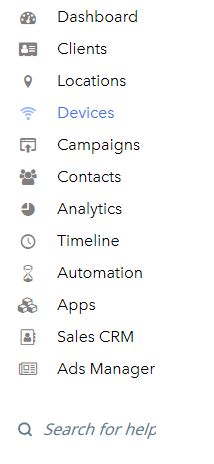
- Select Devices from the main menu.
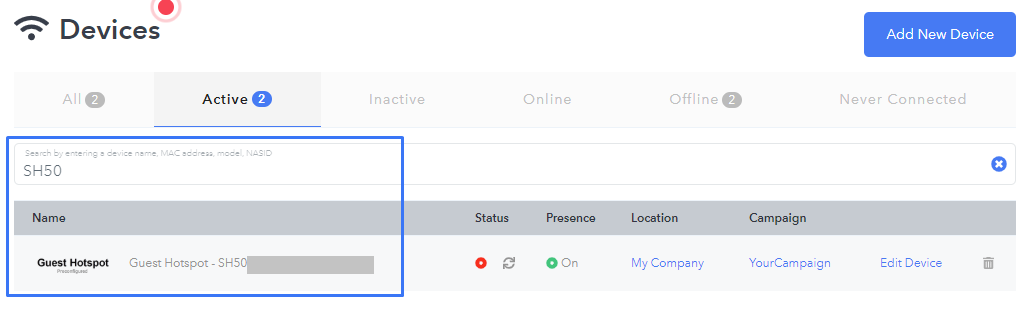
- Search for the device you want to disable or delete.
Disable Device
Disabling a device temporarily marks it as inactive. It will not be associated with any location or campaign.
- Click the status icon.

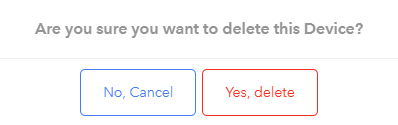
- Select Yes, Disable.

Delete device
Deleting a device will completely remove the device from your dashboard; it will be removed from any location and will stop broadcasting the campaign.
- Click the trash icon.

- Select Yes, delete.
Need Help?
If you have any questions, please contact our support team by clicking the support icon located in the bottom right-hand corner of this page.
Comments
Please sign in to leave a comment.